

Introduction
In today’s digital world, many important activities begin with an online application. People apply for jobs, educational programs, government schemes, financial services, identity documents, scholarships, and other opportunities through websites and mobile platforms. After submitting an application, the next important step is to understand its progress. The phrase know your application status refers to checking the current stage of an application and finding out whether it has been received, reviewed, approved, rejected, or placed on hold. Tracking an application helps applicants stay informed, respond to requests for additional information, and avoid missing important deadlines. Although different organizations use different systems, most provide a reference number, registration ID, or login portal to help users follow their submissions. Understanding how these systems work makes the process easier and reduces uncertainty while waiting for an official decision.
What Does Application Status Mean?
Application status describes the current position of a submitted request within an organization’s review process. When someone completes an online form, the receiving organization usually records the information and begins processing it according to its rules. The status displayed on a website or application portal provides an update about this process.
For example, a job application may move from submission to screening, interview selection, and a final hiring decision. Similarly, a government document application might progress through verification, approval, printing, and dispatch. A college admission application may require document verification, eligibility checks, and merit-based selection. Each stage communicates something about the progress of the request.
Understanding these stages helps applicants determine whether they need to take further action. However, a particular status does not always guarantee a final outcome. A pending application may still be under review, while a completed application may simply mean that processing has ended. Applicants should always read the accompanying explanation and rely on official communication for confirmation.
Why Is It Important to Check Your Application Status?
Regularly checking an application can help people remain organized and informed. Many application processes involve strict deadlines, eligibility requirements, and document verification. If an organization requests additional information, an applicant who checks updates regularly may be able to respond before the deadline expires.
The process also helps applicants identify potential problems early. For instance, a missing document, incorrect personal detail, incomplete payment, or failed submission may prevent an application from moving forward. Checking the portal can reveal whether any corrective action is necessary. In some cases, applicants may also discover that their request has already been approved or that an important communication has been issued.
Another benefit is better planning. Students can prepare alternative education options, job seekers can continue exploring opportunities, and people waiting for official documents can plan their next steps. Using the know your application status process responsibly provides greater clarity without requiring unnecessary visits to an office or repeated calls to customer support.
How to Check Your Application Status Online
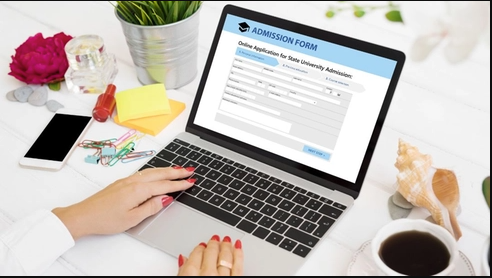
Most organizations offer an online facility for tracking applications. Although the exact steps differ, the general process is straightforward and usually requires a few basic details.
First, visit the official website of the organization where the application was submitted. Look for an option such as “Track Application,” “Check Status,” “Application Login,” or “Application Status.” Some websites place this feature under a services, admissions, recruitment, or citizen portal section.
Next, enter the required information. Depending on the service, you may need an application number, registration ID, date of birth, registered mobile number, email address, or other verification details. Some portals require users to sign in to their accounts before displaying updates. Carefully check the information before submitting the request.
After successful verification, the portal should display the available status information. Read any instructions, pending requirements, or messages provided on the screen. If necessary, save the reference number or take a screenshot for personal records, provided it does not expose sensitive information. Always use the official website rather than unfamiliar third-party platforms that request unnecessary personal details.
Common Application Status Messages Explained
Different portals use different labels, but several status messages appear frequently across application systems. Knowing their general meanings can help applicants understand what to expect.
Submitted: The application has been sent through the portal. This does not necessarily mean that every detail has been verified or accepted.
Received: The organization has recorded the application in its system. It may still need to begin the review process.
Under Review: The submitted information is being examined. The organization may be checking eligibility, documents, qualifications, or other requirements.
Pending: A decision or processing step remains incomplete. The application may be waiting for internal review, additional documents, or action from the applicant.
On Hold: Processing has temporarily stopped. This may happen because of missing information, administrative requirements, or other circumstances.
Approved: The application has received a positive decision at the relevant stage. Applicants should check whether any additional formalities remain.
Rejected: The application has not been accepted. If the organization provides a reason, review it carefully to understand the decision and determine whether an appeal or new application is permitted.
Completed: The process has reached its defined endpoint. Depending on the service, this may mean that the decision has been issued or the requested service has been delivered.
These labels are general examples, so their exact meanings depend on the organization’s rules and procedures.
Documents and Details Required for Tracking
Before checking an application, it is useful to collect the information provided during registration. Having the correct details available reduces errors and makes the process faster.
The application or acknowledgment number is often the most important item. It may appear on a confirmation page, email, text message, or downloaded receipt. Some systems use a registration number, transaction reference, or unique identification code instead.
Other portals require the registered phone number or email address. Certain services may also ask for a date of birth, username, password, or one-time password to confirm the applicant’s identity. Keep these details secure and enter them only on the organization’s official platform.
If the application relates to a job, admission, or government service, applicants may also need to refer to their submitted documents to confirm the information entered. Avoid sharing passwords, verification codes, or identity documents with unknown individuals claiming they can provide faster updates. Genuine tracking procedures should be explained through official channels.
What to Do When Your Application Is Pending
A pending status does not automatically mean that something has gone wrong. Organizations often process large numbers of applications, and each request may require different verification steps. Some applications are reviewed within a few days, while others take several weeks or longer.
The first step is to check the expected processing period published by the organization. Compare the date of submission with the stated timeline before contacting customer support. Also review the portal for messages about missing documents, incomplete information, payment confirmation, or additional verification.
If the expected period has passed, contact the relevant department through its official support channel. Provide the application reference number, submission date, and a clear explanation of the issue. Avoid sending multiple duplicate applications unless the organization specifically instructs you to do so, because duplicate submissions can sometimes create confusion.
When using know your application status tools, remember that a pending label may remain unchanged until the next processing stage is recorded. Keep your acknowledgment receipt and any communication from the organization until the matter is fully resolved.
How to Check Government Application Status
Government applications often involve formal verification procedures and specific eligibility requirements. Depending on the service, an application may relate to a certificate, benefit scheme, identity document, pension, examination, scholarship, or another public service.
Applicants should begin with the official government department or authorized service portal responsible for the application. Locate the tracking section and provide the requested reference number or registration information. If the service operates through a local office, the portal may also provide contact information for the relevant department.
Read the status carefully because some government systems distinguish between application receipt, field verification, approval, payment processing, and final delivery. Approval at one stage may not mean that the complete service has been delivered.
If the status appears incorrect or remains unchanged beyond the published timeline, use the official grievance or helpdesk procedure. Keep copies of receipts, acknowledgment messages, and submitted documents. Avoid paying unofficial intermediaries who promise guaranteed approval or special access to government systems.
Checking Job and College Application Status
Job seekers and students frequently need to monitor applications because selection procedures can involve multiple stages. Employers may review resumes, assess qualifications, conduct interviews, and make final hiring decisions. Educational institutions may evaluate academic records, entrance examination results, eligibility criteria, and supporting documents.
For employment applications, sign in to the employer’s recruitment portal or the platform where the application was submitted. Look for updates about screening, assessment, interview scheduling, or the final decision. Check your registered email account and spam folder for official messages, as interview invitations and requests for additional information may arrive separately.
For college admissions, use the institution’s admission portal and verify whether documents have been accepted. Review any instructions about entrance tests, counseling, fee payments, merit lists, or confirmation deadlines. If no update appears, consult the published admission schedule before contacting the admissions office.
In both situations, a status update should be interpreted cautiously. An application marked as received does not guarantee selection, and an application under review does not indicate rejection. Continue preparing for other opportunities while waiting for an official decision.
Common Problems While Checking Application Status
Applicants sometimes encounter technical difficulties when trying to access tracking services. One common problem is entering an incorrect reference number. Even a small typing error can prevent the system from locating the record. Check the original acknowledgment message and enter the number exactly as provided.
Another issue occurs when a portal temporarily becomes unavailable because of maintenance, heavy traffic, or technical errors. In this situation, try again later rather than repeatedly submitting the same information. Clearing the browser cache or using an updated browser may also help with certain display problems.
Some applicants cannot access their accounts because they have forgotten their passwords or changed their registered phone numbers. Use the official account recovery process or contact the authorized support team to update the necessary details.
Occasionally, a portal may not display recent changes immediately. Processing systems can take time to synchronize records, so a lack of visible progress does not always indicate a problem. If the issue continues, contact the responsible organization and retain evidence of the error without exposing private information.
Tips for Tracking Applications Safely and Efficiently
Good record-keeping can make application tracking easier, particularly when several applications are active at the same time. Maintain a simple list containing the organization name, application reference, submission date, expected decision date, and current status. Store this information in a secure location.
Set reminders to check important updates at reasonable intervals. Checking the portal constantly is rarely helpful, especially when the organization has published a specific processing timeline. Instead, review the application periodically and respond promptly whenever an official request requires action.
Protect your personal information by confirming that the website address belongs to the relevant organization. Be cautious of messages claiming that you must pay an unexpected fee, share a password, or disclose a one-time code to release an application result. Verify unusual requests independently through official contact details.
Finally, save acknowledgment receipts and relevant correspondence until the application process is finished. These records can help resolve disputes, confirm submission dates, and support follow-up inquiries if the system does not show the expected information.
When Should You Contact Customer Support?
Applicants should consider contacting customer support when the application cannot be found, the status appears inconsistent with official communication, a required document has been submitted but remains unrecognized, or the processing period has exceeded the published timeline.
Before contacting support, gather the reference number, submission date, relevant receipts, and a brief description of the issue. Explain the situation clearly and ask whether any additional action is required. Providing accurate details helps the support team investigate the matter more efficiently.
Use the official email address, telephone number, helpdesk, or grievance mechanism listed by the responsible organization. If a complaint reference number is provided, save it for future follow-ups. Keep communication professional and allow a reasonable response period unless an urgent deadline requires faster assistance.
Customer support can clarify procedures and investigate certain problems, but representatives may not be able to speed up every application or change a decision. The final outcome depends on the organization’s rules, eligibility criteria, verification process, and applicable deadlines.
Conclusion
Keeping track of an application is an important part of managing employment opportunities, education, government services, and other administrative processes. Understanding status messages, maintaining accurate records, checking official portals, and responding to requests promptly can help applicants avoid unnecessary delays and confusion.
The know your application status process is generally simple when the correct reference details and official tracking facilities are available. Applicants should review published timelines, protect their personal information, and contact the responsible organization if a problem persists. Most importantly, remember that a status update is an indication of progress rather than a guarantee of a particular outcome. With patience, careful record-keeping, and regular attention to official instructions, applicants can manage the waiting period more confidently and make informed decisions about their next steps.