
Introduction
Applying for a government service, job, scholarship, educational program, bank account, or official document is often the first step toward achieving an important goal. After submitting an application, the next thing most people want to know is whether it has been received, reviewed, approved, or rejected. Understanding how to know your application status helps you stay informed and take the right action at the right time. Instead of repeatedly visiting an office or waiting for an update without any information, you can use online portals, confirmation messages, application reference numbers, and official communication channels to follow the progress of your request.
The application tracking process varies depending on the organization and the type of service involved. Some institutions provide real-time updates through dedicated portals, while others communicate through email, SMS, or customer support. Learning how these systems work can reduce confusion and help you avoid missing important deadlines. This guide explains the common steps involved in checking an application, understanding status messages, dealing with delays, and protecting your personal information throughout the process.
What Does Application Status Mean?
Application status refers to the current stage of a request submitted to an organization, department, company, or institution. It tells applicants whether their information has been received, whether verification is underway, and whether a final decision has been made. For example, a job application might be under review, while a government document request might be awaiting verification. A scholarship application may remain pending until the institution checks eligibility and supporting documents.
Knowing the meaning of these updates makes the process easier to understand. A pending application does not necessarily indicate a problem, and an application under review does not guarantee approval. Each status reflects a particular stage in the organization’s procedure. Some applications move through several verification steps before a decision is issued, while others may be processed relatively quickly. Applicants should always refer to the instructions provided by the relevant organization because status labels and processing procedures can differ significantly.
How to Know Your Application Status Online
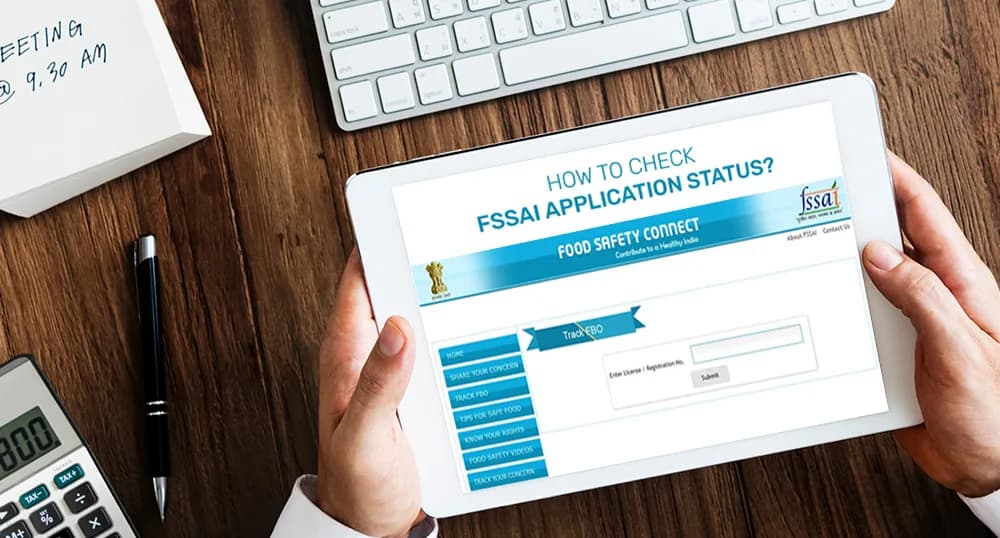
Checking an application online is often the most convenient way to receive an update. Many government departments, educational institutions, employers, banks, and service providers offer official websites where applicants can view progress. The process generally begins by visiting the organization’s official portal and locating a section labeled application tracking, application status, check status, or a similar term.
After opening the correct section, you may need to enter your application number, registration ID, acknowledgment number, or another reference detail. Some systems also request a date of birth, registered mobile number, email address, or verification code. Enter the required information carefully and submit the form. If the details match the records, the system may display your current status and any available instructions. If you cannot find the tracking option, review the organization’s application guidelines or contact its official support team. Always make sure you are using the genuine website before entering personal information.
Documents and Details Required for Application Tracking
Before attempting to check an application, collect the information you received when submitting it. Having these details available can save time and prevent unnecessary errors. Most online tracking systems use a unique reference number to identify an application, although some organizations use a combination of personal and registration details.
Commonly requested information includes:
- Application or acknowledgment number.
- Registration ID or reference number.
- Registered mobile number or email address.
- Date of birth, when required for verification.
- Login credentials for the official applicant portal.
Not every organization requires all these details. Some portals allow tracking with only a reference number, while others require applicants to sign in to their accounts. Keep confirmation emails, receipts, and acknowledgment slips in a safe place until the application process is complete. Never share passwords, one-time passwords, or sensitive financial information with unauthorized individuals who claim they can provide an update.
Understanding Common Application Status Messages
When you check your application, the result may contain a short message describing its current stage. Understanding these terms helps you decide whether to wait, provide additional information, or contact the relevant authority. Although the exact wording varies, several status messages are commonly used across different application systems.
Submitted: This usually means the application form has been sent successfully. However, submission alone does not always mean that the organization has completed its initial verification.
Received: The organization has recorded the application in its system. It may still need to review the details or supporting documents.
Under Review: The application is being examined by the responsible team or department. Additional checks may be necessary before a decision is made.
Pending: No final decision has been recorded yet. The application may be awaiting review, verification, documents, or action from another department.
Approved: The application has received a positive decision at the relevant stage. Check whether any further steps are required before the service or benefit becomes available.
Rejected: The application has not been accepted. If the organization provides a reason or appeal procedure, review it carefully before deciding what to do next.
On Hold: Processing has temporarily stopped, potentially because clarification or additional information is required.
Why Is Your Application Status Not Updating?
Sometimes applicants check their records and discover that the status has remained unchanged for several days or weeks. This can happen for several reasons, including high application volumes, manual verification, incomplete documents, technical problems, public holidays, or delays between different departments. Some organizations also update their online systems only after completing a particular stage of the process.
If the status appears unchanged, first review the expected processing time stated by the organization. Check your email inbox, spam folder, and registered mobile number for messages requesting additional information. Make sure that the application reference number is correct and that you are checking the appropriate portal. If the published processing period has passed, contact the responsible department using its official support channels. Provide your reference number and submission date so the representative can locate the record more easily. Avoid submitting duplicate applications unless the organization specifically recommends doing so, as duplicate entries can sometimes create further complications.
How to Check Government Application Status
Government applications often involve formal verification procedures and specific eligibility requirements. Examples include identity documents, certificates, licenses, benefit programs, examination registrations, and other public services. Many departments provide online tracking facilities, but the process depends on the particular scheme or service.
To begin, identify the government department or authorized service portal associated with your application. Open the official website and look for its tracking or application inquiry section. Enter the requested reference details and review the result. If the portal provides a receipt, downloadable acknowledgment, or status history, save a copy for your records.
When trying to know your application status for a government service, pay attention to any deadlines, verification appointments, or requests for additional documents. Certain applications may require in-person verification even when their initial tracking process is online. If the website is unavailable, use the department’s officially published helpline or visit an authorized service center when necessary. Be cautious of unofficial websites that request fees or personal details without clearly identifying their relationship with the department.
Checking Job, College, and Scholarship Applications
Employment, education, and scholarship applications often follow different review procedures. Employers may evaluate resumes, qualifications, interviews, and references before communicating a hiring decision. Colleges may check academic records, entrance examination results, eligibility criteria, and document submissions. Scholarship providers may additionally verify financial details, enrollment information, or other conditions specified in the program guidelines.
For job applications, sign in to the employer’s recruitment portal or review the confirmation email received after applying. For college admissions, use the institution’s official admissions system and check whether any documents or fees remain outstanding. Scholarship applicants should consult the relevant program portal for verification updates, merit lists, and payment information, where applicable.
Remember that a delayed update does not automatically mean an application has been rejected. Organizations may receive large numbers of applications and review them in stages. If you need clarification, send a polite inquiry containing your application reference number and submission date. Keep the message concise and professional, and follow the communication instructions provided by the institution.
What to Do If Your Application Is Rejected
Receiving a rejection message can be disappointing, particularly when an application is connected to employment, education, financial assistance, or an important personal requirement. The best next step is to understand the reason for the decision instead of immediately submitting another application.
Read the rejection notice carefully and determine whether the organization has identified an eligibility issue, missing document, incorrect entry, incomplete verification, or another concern. Some decisions are final, while others may be reviewed through an appeal, correction request, or reconsideration process. Check the official rules to learn whether an appeal is permitted and what deadline applies.
If corrections are allowed, prepare accurate supporting information and submit it through the approved channel. Avoid changing information simply to make an application appear eligible. Where a new application is permitted, confirm that you meet the requirements before applying again. Keeping copies of the original submission, communication, and rejection notice can help you explain the situation if you contact the responsible authority.
Tips for Tracking Applications Safely and Efficiently
Application tracking becomes easier when you organize your records and use reliable sources. Start by keeping a folder containing acknowledgment receipts, reference numbers, submission dates, and official correspondence. If you have several applications in progress, maintain a simple list showing the organization, application date, current status, and next expected action.
Check the status at reasonable intervals rather than refreshing the portal repeatedly throughout the day. Some systems update only after manual processing, so frequent checks may not reveal new information. Turn on official notifications when this option is available, and ensure your registered contact details are correct.
Protect your privacy throughout the process. Use secure internet connections when accessing accounts, avoid entering credentials on suspicious websites, and never share one-time passwords with callers who claim to represent an organization. If you receive an unexpected message asking for payment or confidential information to release an application, verify the request independently through an official contact channel. Good recordkeeping and careful verification can help you avoid common tracking problems.
Frequently Asked Questions
1. How can I check my application status using a reference number?
Visit the official website of the organization where you submitted your application. Find the tracking section, enter your reference number, and provide any additional information requested. Submit the details to view the available update. If the reference number does not work, check your acknowledgment receipt for typing errors and confirm that you are using the correct portal.
2. Can I check my application status on my mobile phone?
Yes, many organizations provide mobile-friendly websites or official applications that allow users to track requests. Open the organization’s verified website or official mobile application, sign in if required, and follow its tracking instructions. Avoid downloading unfamiliar applications from unverified sources, especially when they request sensitive personal information.
3. What should I do if my application status says pending?
A pending status generally means that the process has not been completed. Review the expected processing period, check for requests for additional documents, and confirm whether you must complete any further steps. If the application remains pending beyond the published timeframe, contact the relevant organization and provide your reference number.
4. Why does my application show no record found?
This message may appear when the reference number is incorrect, the application has not yet appeared in the tracking system, or the wrong portal is being used. Recheck the details in your acknowledgment receipt and confirm that the application was successfully submitted. If the problem continues, contact official support instead of submitting another application immediately.
5. Does an approved application mean the process is complete?
Not always. Approval may represent one stage of a larger process. You might still need to complete verification, provide original documents, attend an appointment, make an authorized payment, or wait for the final certificate or service. Read the approval notice carefully and follow any remaining instructions.
Conclusion
Understanding application tracking can make an otherwise uncertain waiting period more manageable. Whether you have applied for a government document, a job, college admission, a scholarship, or another service, checking the official portal and keeping your reference details organized are practical ways to stay informed. Learn the meaning of common status messages, review any requests for additional information, and contact the responsible organization when a delay exceeds its stated processing period.
The most reliable way to know your application status is to use official tracking channels and follow the instructions provided by the organization handling your request. Avoid unofficial services that promise guaranteed approval or ask for unnecessary personal information. With accurate records, regular checks, and timely responses, you can monitor your application’s progress and take the appropriate next step with greater confidence.